
Learn what’s currently available for Career Development with the 2H 2025 SAP SuccessFactors Release.
For greater details, you can view the full set of documentation in the What’s New Viewer here. For full details on the release cycle, check out the SAP SuccessFactors official product updates blog.
For tips on how to manage a release, check out our blog here.
Check out what’s new for Career Development.
Enhancements to the Employee View in the latest Career Worksheet
Employees will see more information on the Role Details page when using the latest Career Worksheet.
Highlights include:
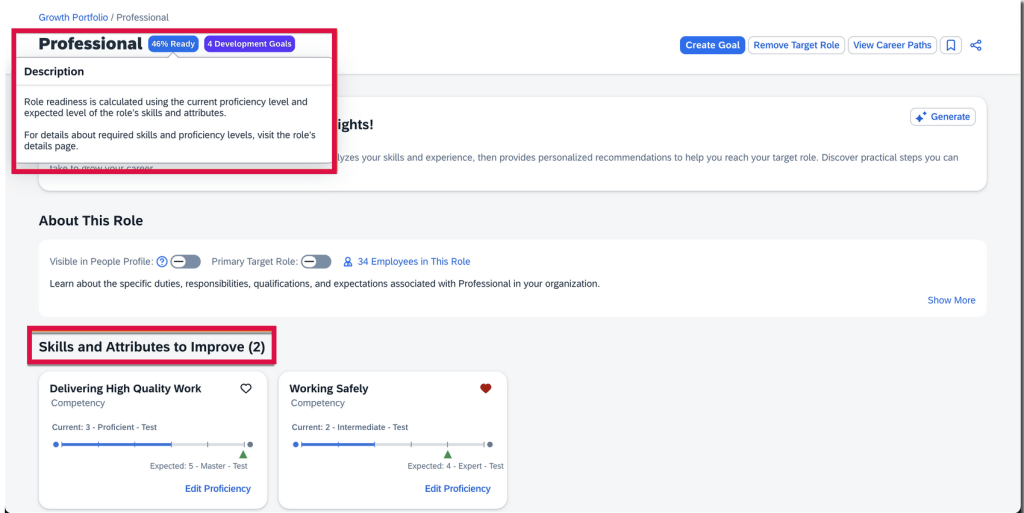
- The titles for the Skills and Attributes to Improve and Skills and Attributes You Have sections now include counts
- The explanation of how role readiness is calculated displays when selecting the role readiness of a target role
Enhancements to Manager View in Latest Career Worksheet
Managers can also enjoy an enhanced experience when using the latest Career Worksheet.
On the Summary tab of the Team View page in Growth Portfolio, managers have better visibility into employees’ career development, including:
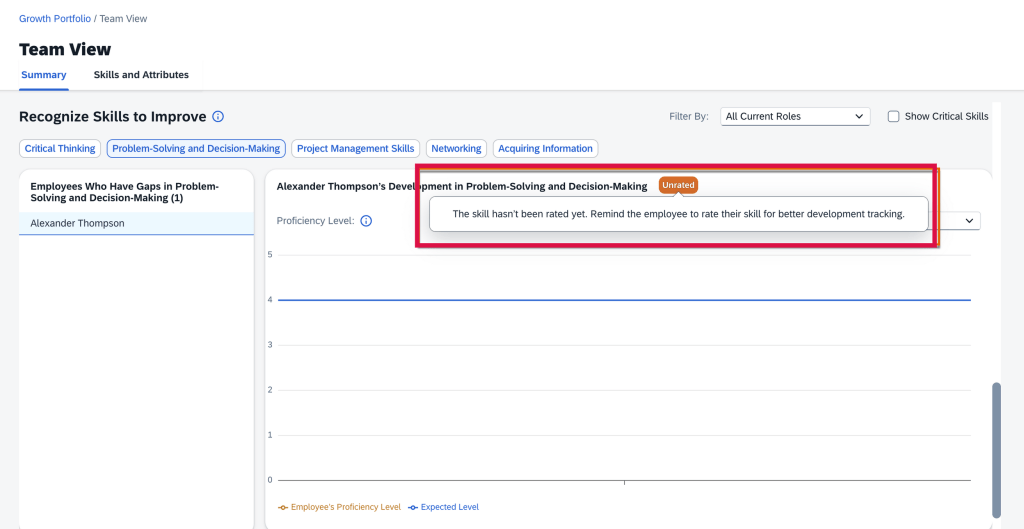
- View employees’ unrated skills and attributes
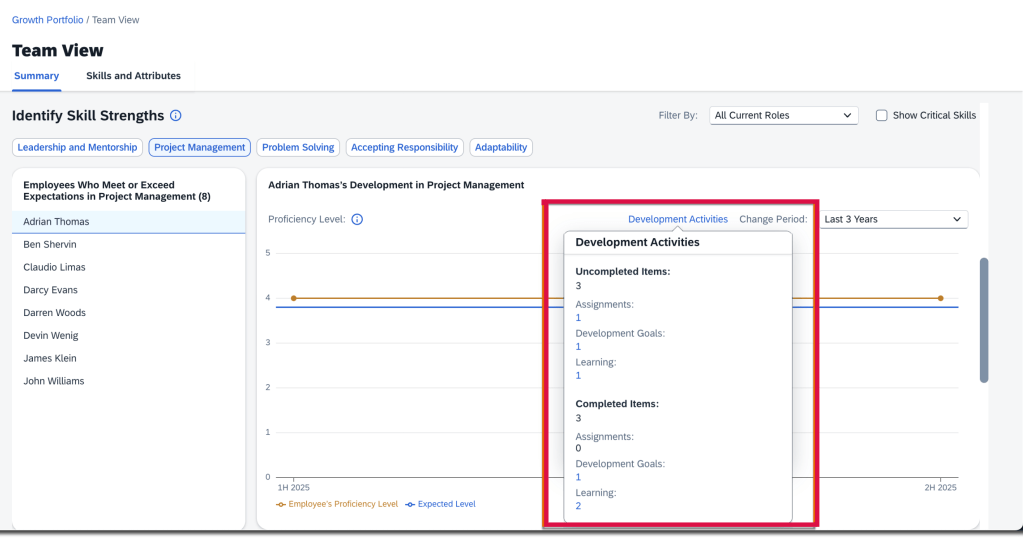
- View employees’ development activities linked to specific skills and attributes
- View their team’s target roles when granted the private-access permission in the Career Worksheet template.
Option to Disable Legacy Career Worksheet
Once the latest Career Worksheet is enabled, the legacy version may be disabled. Please note, when the legacy version is disabled, the Career Worksheet tab isn’t available in the Development module. If you aren’t using Career Path, Career Explorer or Mentoring, the Development module will not be available in the main navigation menu.
View Development Goals in Latest Career Worksheet
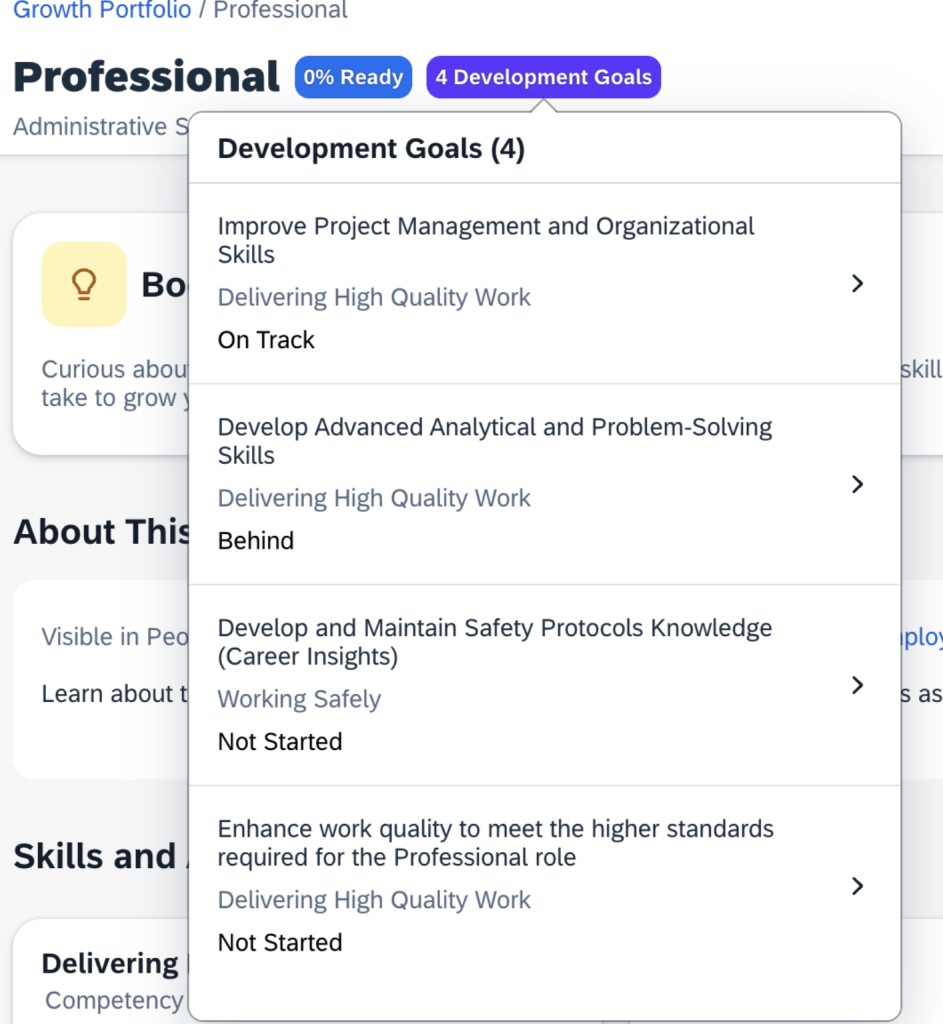
Development goals now appear on a role’s details page in the latest Career Worksheet. However, only development goals from the default development goal plan that have skills or attributes associated with the selected role will be displayed.
The Goal name, associated skills or attributes, and status for each development goal display.
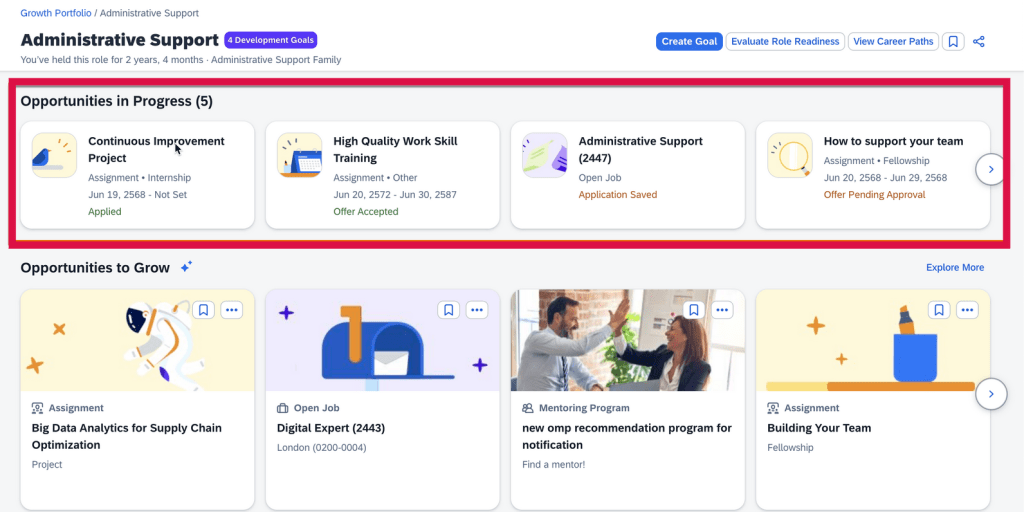
View In-Progress Opportunities in Latest Career Worksheet
Actions and progress that users have made in developing their current or target roles will be viewable.
These in-progress opportunities with skills or attributes associated with the selected role appear in the Opportunities in Progress section. Once an opportunity card is selected, the user is directed to its details page.
View Recommended Assignments and Learning Opportunities for Development Goals
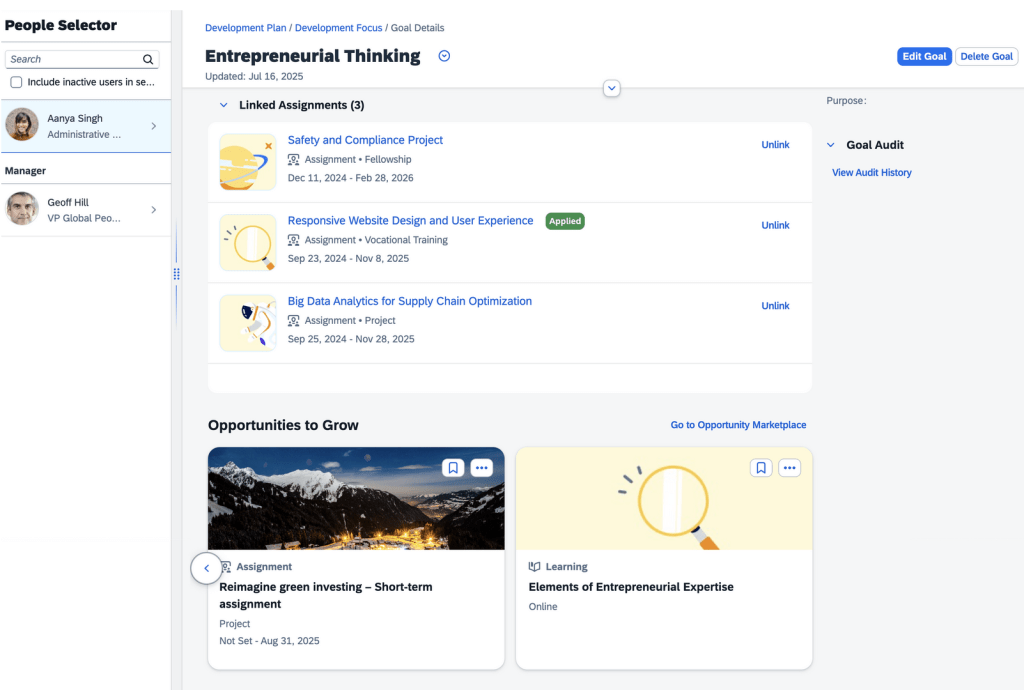
The assignments and learning opportunities that match skills and attributes selected for a user’s development goals are now viewable. Users can also link assignments of interest to their development goals.
This feature is available on a user’s own goal details page.
Users can view learning activities not linked to development goals. These activities and learning opportunities can be be added/linked through the Linked Learning section on the goal details page. Assignments then appear in the Linked Assignments section.
Users can bookmark recommended assignments and learning opportunities.
Features Now Available with AI units license
With the purchase of the AI units license, there are some additional features available.
AI-Assisted Career Insights for Current Role
Previously available for target roles only, now employees can gain insights into development actions that help them progress in their current role.
There is a new Unlock your potential with AI-powered insights! section on a current role’s details page which includes:
- Role name and description
- Skills and attributes associated with the role
- Current and expected proficiency levels for these skills and attributes
- Skills and attributes added to the employee’s Growth Portfolio
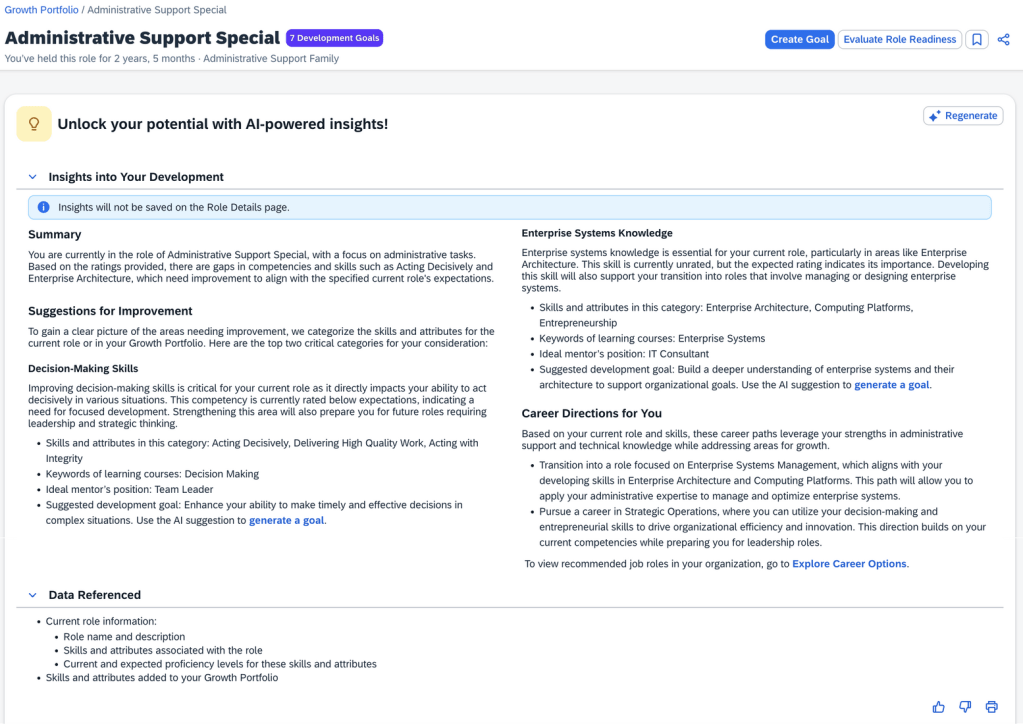
The insights are grouped into sections:
- Summary which is a high-level overview of the employee’s current role
- Suggestions for Improvement which identifies two growth areas for upskilling and career development with achievable suggestions for skills and attributes in the category, learning courses keywords, ideal mentor’s position, suggested development goal
- Career Directions which are tailored career paths with a link to view recommended job roles
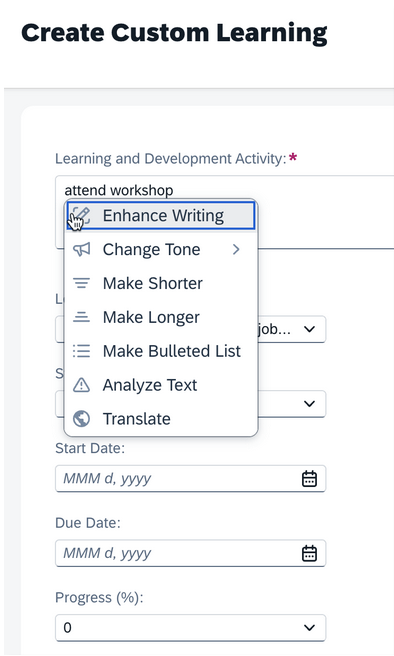
AI-Assisted Writing Available in Custom Learning Activities
Text and Textarea fields for custom learning activities now have AI-assisted writing available.
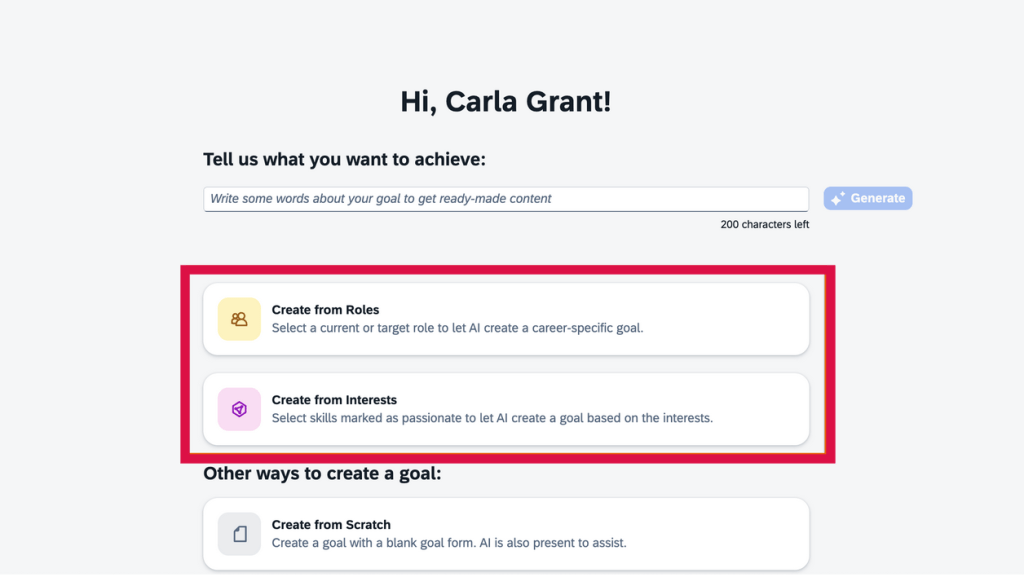
Create Development Goals with AI Based on Roles and Interests
Using AI, users can create personalized goals aligning with specific career roles or skill interests. With the AI-assisted goal creation feature enabled, AI can be used to create development goals based on a current role, target role, or skills and attributes.
- Create goals from roles
- Create goals from interests
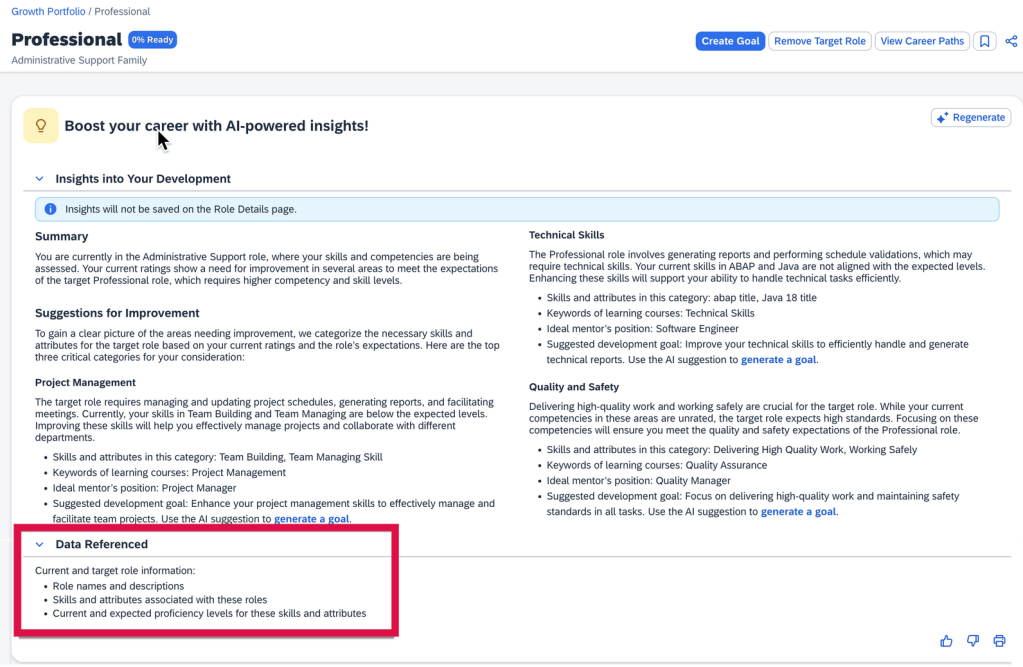
Data Referenced Section Available in AI-Assisted Career Insights
Using AI, can view information being considered on the Data Referenced section on a target role’s details page in the latest Career Worksheet.
To learn more and get more details, see the full set of documentation in the What’s New Viewer here.
Do you need help implementing or supporting your SAP SuccessFactors system? Contact info@worklogix.com for assistance, download our support services brochure, or visit https://www.worklogix.com/implementation.html for additional information.
 Worklogix Blog
Leave a comment