
See what’s new for the latest Continuous Performance Management with the 2H 2025 SAP SuccessFactors Release.
For greater details, you can view the full set of documentation in the What’s New Viewer here. For full details on the release cycle, check out the SAP SuccessFactors official product updates blog.
For tips on how to manage a release, check out our blog here.
Continuous Performance Management
There are no major updates for Continuous Performance Management, they are generally available and require no additional updates. Here are a few notable updates.
All Responses shown on Feedback Given tab
The Feedback Given tab for Continuous Feedback page now shows all feedback given, both unsolicited feedback and responses to feedback requests, not just feedback response for the target population for their permission role.
Search for an activity and link to feedback
The word count for Continuous Performance fields is now based on characters instead of bytes.
In addition, several field lengths have been extended:
- 4000 characters: Activity Name, Activity Comment, Achievement Name, Meeting Discussion Topic Name, Channel Invitation Note, Feedback Answer
- 2000 characters: Meeting Note
- 500 characters: Feedback Topic
- 250 characters: Feedback Question
Users can request and review feedback on their activities in any channels where they are the participant
When a user is the participant in a channel, they can request and view feedback on all their activities. Previously, the feedback functionality was only available for activities recorded in channels between managers and direct reports.
Share Activities Across Channels on Continuous Performance Page
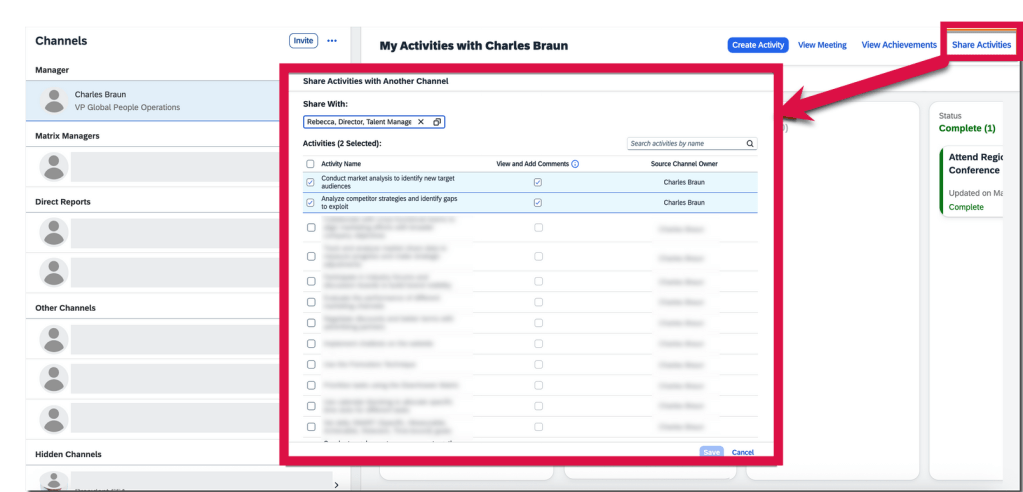
Users are now able to share their activities across channels where they participate, giving relevant users the ability to view and edit these activities for seamless collaboration. These activity sharing records are reportable with Story reports.
Only the channel participant, who is responsible for completing the activities within a channel, can share them with other channels in two ways. They can also control whether the target channel owners can view and add comments on each activity. This setting is pre-selected as the default.
- On My Activities with <channel owner’s name> page, select Share Activities button and choose activities that they want to share with another channel in the pop-up dialog.
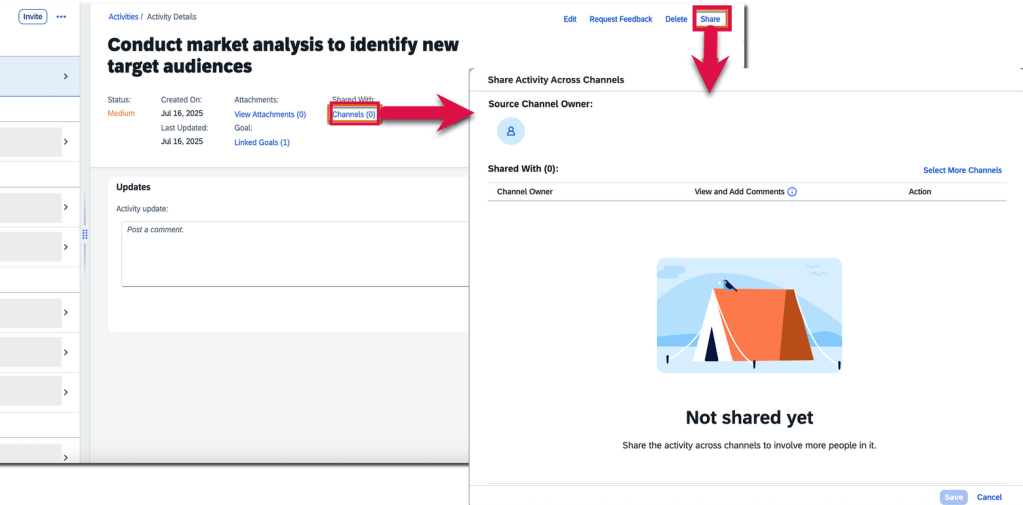
- On the Activity Details page, users may choose channels that they want to share an activity with.
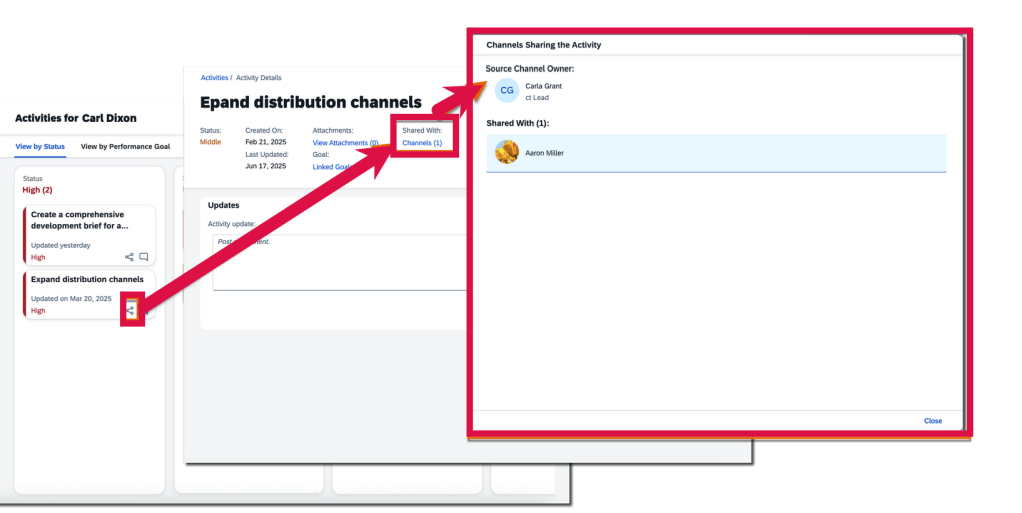
- Channel owners can track the source and destination channels of a shared activity through the Channels link in the Shared With: field on the Activity Details page. However, the field and link are only available for activities shared across channels. On the activities overview page, channel owners and participants can see the “shared across channels” icon on the card of activities that have been shared, to distinguish them from those haven’t.
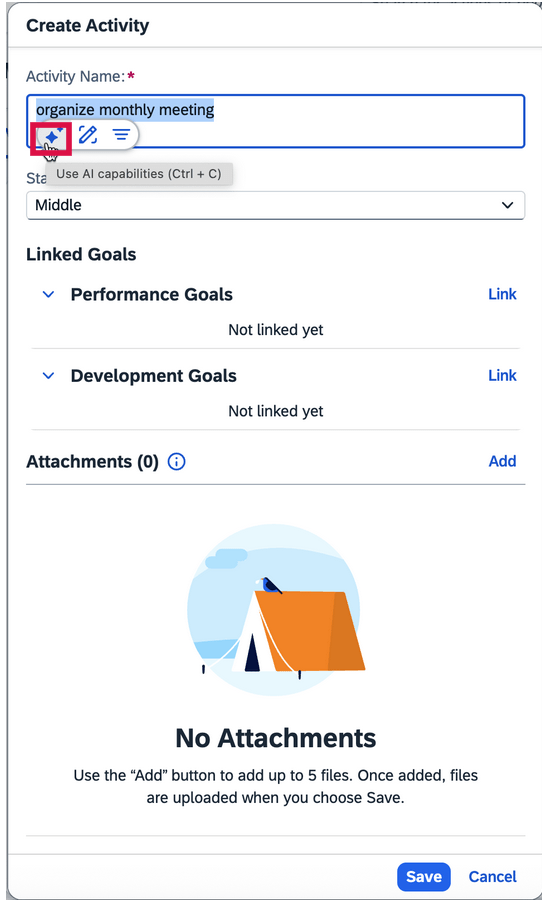
AI-assisted writing is now available in more text areas on Continuous Performance and Continuous Feedback pages
When the AI units license has been purchased, AI-assisted writing now includes feedback topics and feedback questions for Continuous Performance. All free text areas now support AI assistance. Text areas also include activity names, activity updates, achievement names, meeting notes, discussion topics, and channel invitation notes.
To learn more and get more details, see the full set of documentation in the What’s New Viewer here.
Do you need help implementing or supporting your SAP SuccessFactors system? Contact info@worklogix.com for assistance, download our support services brochure, or visit https://www.worklogix.com/implementation.html for additional information.
 Worklogix Blog
Leave a comment