Learn what’s currently available for Calibration with the 2H 2024 SAP SuccessFactors Release.
For greater details, you can view the full set of documentation in the What’s New Viewer here. For full details on the release cycle, check out the SAP SuccessFactors official product updates blog.
For tips on how to manage a release, check out our blog here.
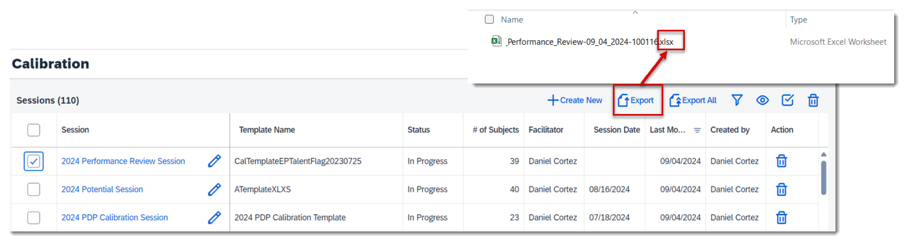
Export Calibration Sessions to an XLSX File
Before the latest release, a calibration sessions could only be exported to an XLS file with 256 columns. Now a session can be exported to a XLSX file which supports up to 16,384 columns.
Set Numerical Distribution for Calibration Templates
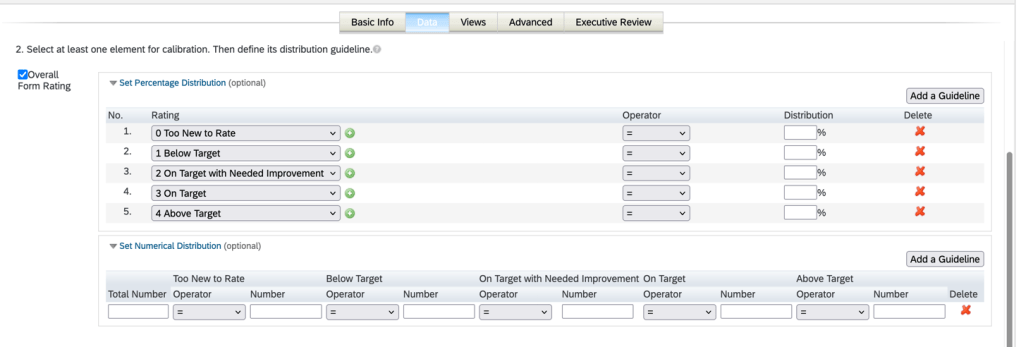
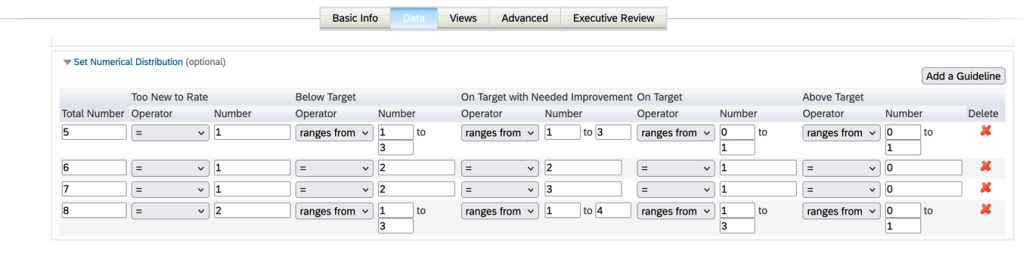
Previously, distribution guidelines for ratings were percentage-based only. Now numerical distribution rating guidelines can also be set up in Calibration templates. A target number of subjects may be specified for each rating.
Numerical and percentage distribution guidelines in the Data tab of the calibration template under Admin Center >Manage Calibration Templates.
Things to note about numerical guidelines:
- Numerical and percentage-based guidelines can be set for the same rating with the numerical guideline taking priority.
- Several numerical distribution guidelines can be set for a rating, but for the same total number of subjects, you can have only one guideline.
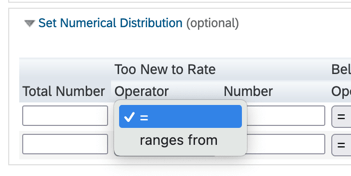
- In each numeric guideline, a range may be set or the “equal” operator may be used
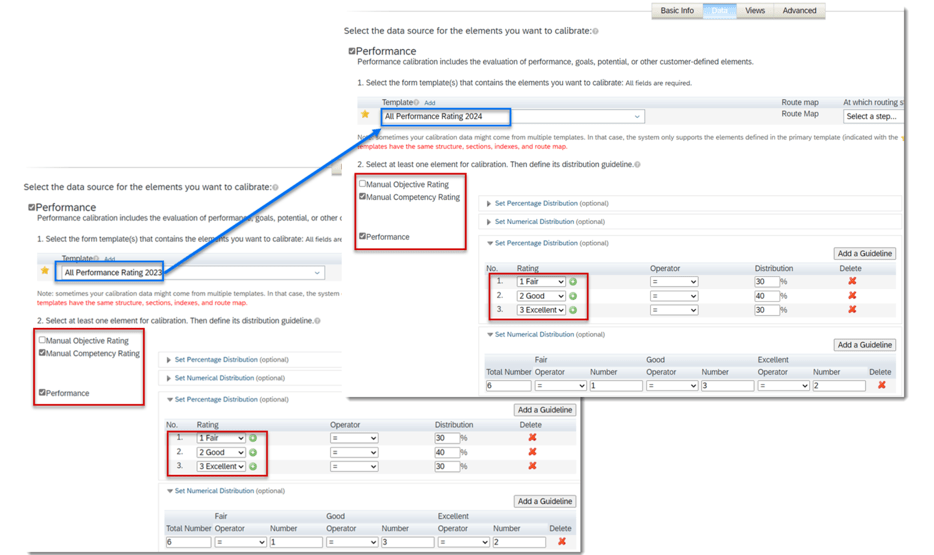
When templates have identical rating types and scales, the configured distribution guidelines can be retained during template switching.
New Setting for Configuring Autosave
There is a new setting in the Manage Calibration Settings admin tool called Enable Autosave.
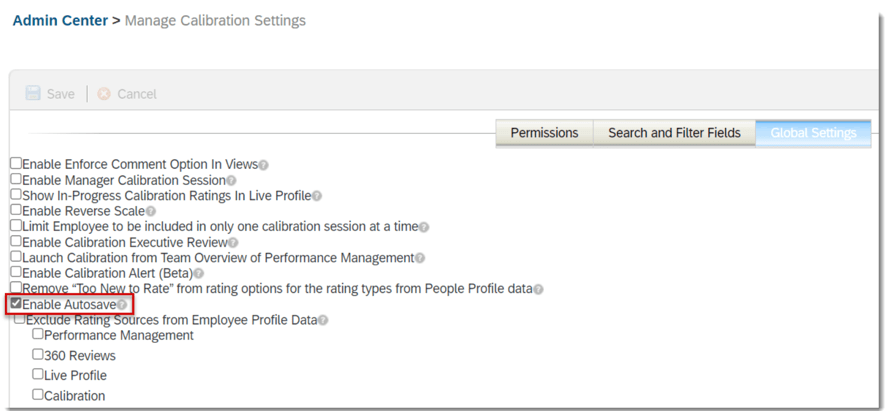
Changes made in a Calibration session are automatically saved after 30 seconds of inactivity. If this feature is disabled, users need to manually save any unsaved changes.
Turn Off Email Notification for Rating Changes during Session Finalization
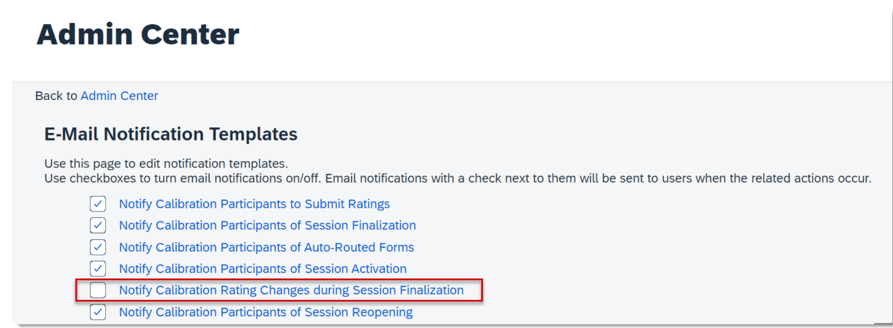
It is now possible to turn off an the email notification Notify Calibration Rating Changes during Session Finalization.
When disabled, managers will no longer receive emails about changes to their employees’ ratings after sessions are finalized.
This setting is found under Admin Center>Email Notification Templates Settings.
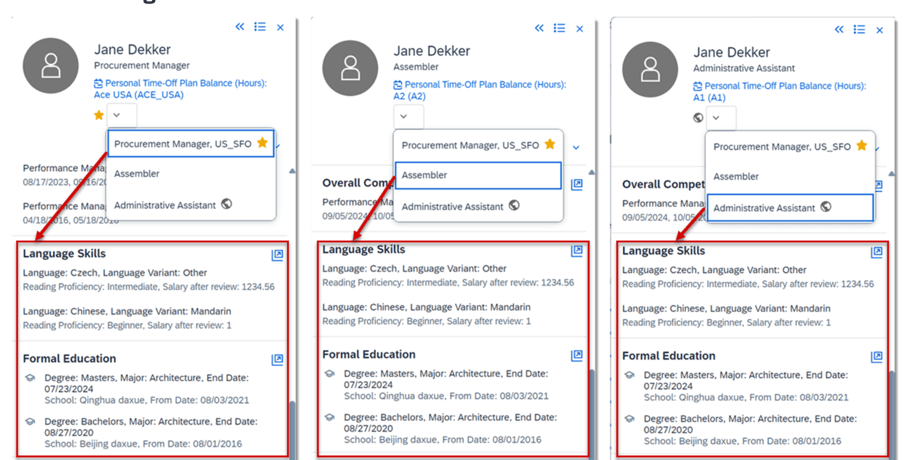
Background Information Displayed for Concurrent Employment in Talent Card
Previously in a calibration session when viewing the talent card for employees with concurrent employments, only background information related to the corresponding user ID was shown. The background information was displayed based on persons for global assignment, but based on users for concurrent employment.
Now the background information is displayed based on persons for both concurrent employment and global assignment. The talent card now displays all records of background information about a person under each employment.
Do you need help implementing or supporting your SAP SuccessFactors system? Contact info@worklogix.com for assistance, download our support services brochure, or visit https://www.worklogix.com/implementation.html for additional information.
 Worklogix Blog
Leave a comment